Imaging Made Simple
Document Management System
Scanning Documents Is Easy. Managing Them Effectively Is Another Story.
Master Your Information.
Imaging Made Simple (IMS) is a document management system that takes your business beyond filing cabinets, scanned folders, and documents attached to your CRM, accounting software, or other business database systems.
Imagine organizing documents around the information that matters to your business, finding records in multiple ways, comparing related documents, and controlling who can access them.
You may already be managing your documents. Discover what it means to master them.

There's a Difference Between Storing Documents and Managing Them.
Filing cabinets, network folders, and business applications such as CRMs and accounting software can all provide places to keep documents. But storing a document is only the beginning.
Imaging Made Simple is built specifically to manage documents at the document level.
IMS allows organizations to associate meaningful identifying information with documents, retrieve them through multiple search criteria, organize related records, and apply dedicated document-management controls. Applicable Enterprise capabilities provide additional security, auditing, and accountability.
CRM Software
Customer Relationships
A CRM primarily tracks leads, sales pipelines, contacts, and communication history. Files are secondary attachments tied to one account record.
Accounting Software
Financial Transactions
Accounting packages manage general ledgers, invoices, checks, and balance sheets. Attached receipts or bills serve the transaction rather than broader document operations.
Imaging Made Simple (IMS)
Document-Level Management
IMS specializes in managing documents and the information associated with them. Flexible multi-index retrieval, cross-department profiles, and document-level governance.
These systems can complement one another seamlessly.
Four Approaches to Business Documents. One Purpose-Built System.
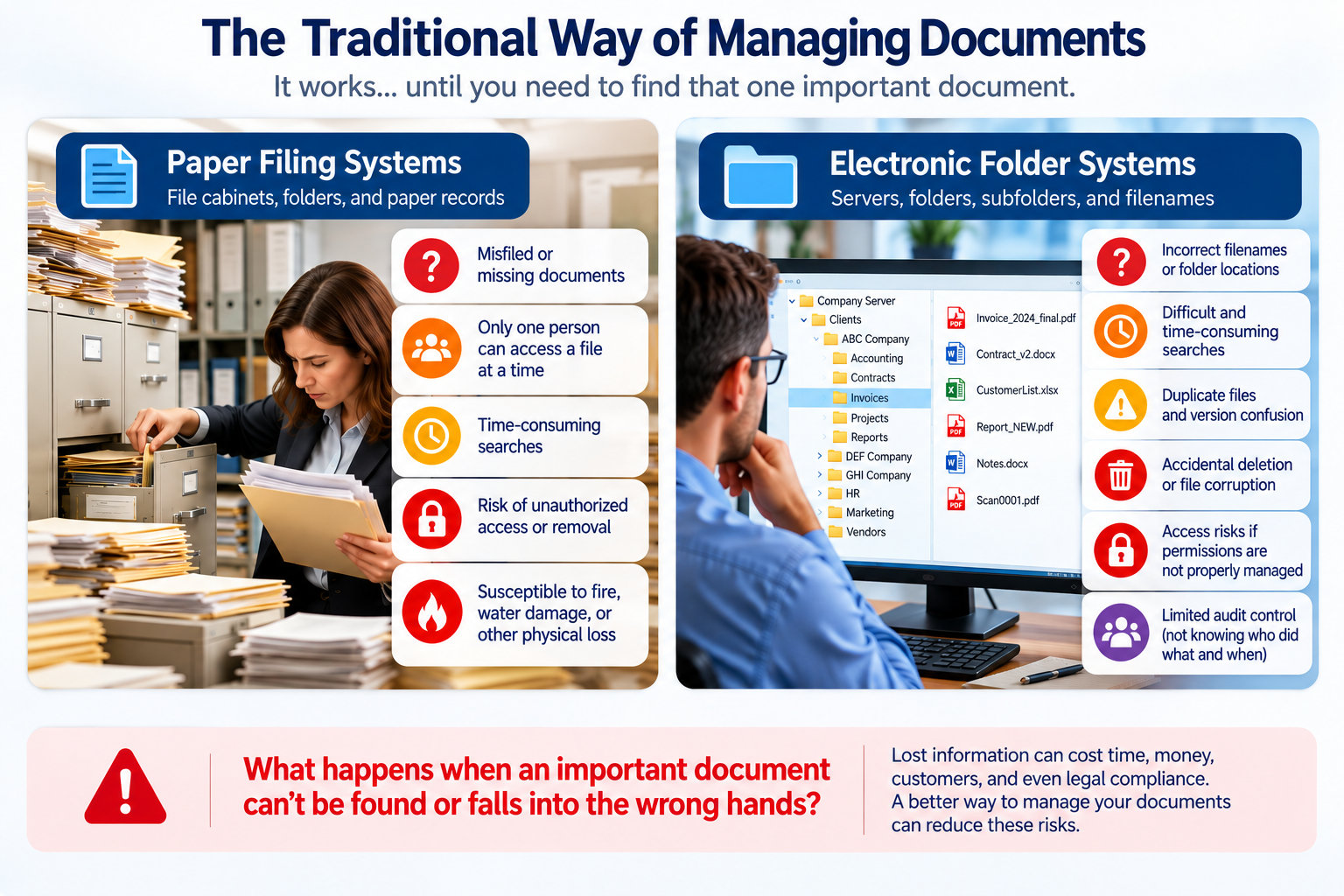
Conventional filing cabinets, nested computer folders, and attachments in business software can all be useful, but they have inherent limitations in classification, access, changes, accountability, retrieval, and research.
What happens when a critical document is misfiled, attached to the wrong customer, altered without authorization, or cannot be located when a customer dispute or legal matter arises?
Purpose-built document management turns scattered storage into searchable, verifiable, and protected company assets.
| Document Capability | Paper Filing Cabinets | Server & PC Folders | CRM / Accounting Attachments | Imaging Made Simple (IMS) |
|---|---|---|---|---|
| Configurable document indexingDocument Organization | Labels on physical file folders only | Rigid folder paths & fragile filenames | Limited to specific account/record screens | Fully customizable index fields per document type or profile |
| Multiple ways to retrieve documentsRetrieval Methods | Single physical location (drawer/cabinet) | Requires knowing exact directory path or filename | Requires opening the specific customer/invoice record | Locate by customer, date, doc type, ID, or custom fields simultaneously |
| Combined search queries & rangesSearch Flexibility | Manual visual leafing through folders | Primitive filename filtering | Basic keyword search within application boundaries | Multi-field queries, date ranges, and compound criteria |
| Retrieval of related groups of documentsComparative Analysis | Manually pulling multiple files from drawers | Opening files in separate folders or subdirectories | Limited to documents attached to that specific entity | Group, compare, and cross-reference related records instantly |
| Dedicated document-level security & controlsAccess & Governance | Key locks on cabinets; open once unlocked | Coarse Windows folder permissions | Tied to broader CRM/accounting user roles | Granular document permissions and role-based access |
| Monitoring and auditing document activityTraceability | None (no log of who opened or viewed a folder) | None or complex OS event log monitoring | Application audit trails rarely log individual document views | Document-level audit trail logging where supported |
| Tailored to organization processesWorkflow Tailoring | Constrained by physical office and shelf space | Inconsistent individual employee filing habits | Constrained by rigid CRM/accounting schemas | Profiles structured around your departments and business workflows |
Go Beyond Filing Documents. Start Mastering Your Information.
Imaging Made Simple organizes information at the document level, using configurable index fields that reflect the information important to your business.
Whether managing many types of documents within a single Profile or using multiple specialized Profiles for different departments or document categories, IMS provides flexibility in how information is organized and retrieved.
Search by a single detail, combine multiple criteria, or retrieve groups of related documents for review and comparison. Your information becomes useful in ways conventional folders and attachments may not readily support.
Find information using multiple search criteria.
Retrieve documents using customer names, account numbers, dates, or reference fields simultaneously without needing original filenames or file paths.
Organize documents around your business processes.
Configure index fields to mirror your workflow. Manage records within a single Profile or across multiple departmental Profiles.
Reduce time spent searching for important records.
Eliminate endless browsing through nested network directories, duplicate attachments, and lost records across employee PCs.
One Master Document. Multiple Search Paths.
Illustrative Search Example — Not the Actual IMS Interface
Select any field below to see how a document can be located in different ways. IMS also supports searches combining multiple index fields to narrow or expand your results. The illustration demonstrates searching by individual fields. It does not simulate the full IMS query engine.
Discover How Imaging Made Simple Works
From traditional filing challenges to organized, searchable, and protected information, explore the document management process.
Take the Next Step in Mastering Your Information
Choose how you would like to explore IMS further, from product configurations to industry workflows and recorded walkthroughs.
Products & Features
Explore IMS capabilities, editions (IMS Professional and IMS Enterprise), and available functionality for your team.
- IMS Professional & Enterprise options
- Configurable indexing & viewers
- Audit trail and security controls
Solutions
Discover how IMS serves different businesses, industries, and departments from accounting and HR to logistics and legal.
- Departmental record management
- Tailored index field structures
- Cross-departmental document profiles
Watch a Demonstration
Request access to our recorded overview of Imaging Made Simple (approx. 6 minutes) showing indexing, searching, and viewing in detail.
- Concise 6-minute product tour
- Real multi-index retrieval walkthrough
- Access sent directly to your inbox
Discover the Hidden Costs of Disorganized Information
Misplaced documents, inefficient filing processes, and time-consuming searches create unnecessary costs and operational friction. Explore why scanning documents alone does not necessarily provide the capabilities of a dedicated document management system.

Office Problems
Explores common document-management challenges businesses face: misplaced files, broken folder paths, and duplicate records spread across staff.
A Document Management Legacy Dating Back to 1994
Imaging Made Simple's history began with an opportunity to develop document imaging and information-management technology for the U.S. Army's logistics operations at Fort Hood, Texas.
We remain especially grateful to Fort Hood for helping launch this journey and for the recognition received through the Government Technology Leadership Award on November 28, 2000.
That early experience helped establish our commitment to practical, dependable document management solutions, a commitment that continues today across commercial, legal, and operational sectors.
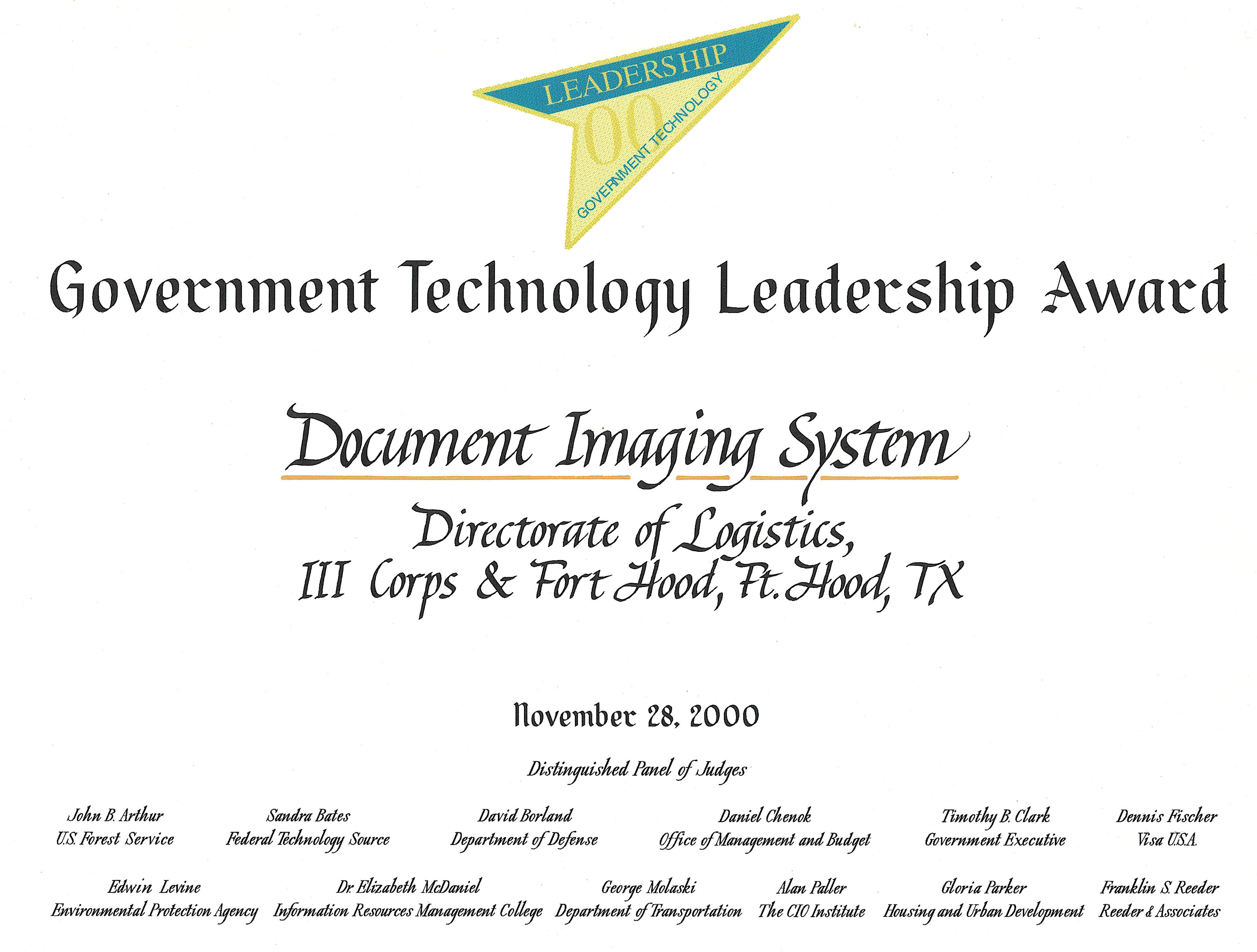
Official Government Technology Leadership Award certificate presented for logistics document imaging.
Ready to Take Control of Your Information?
Every organization handles information differently. Let's discuss your document-management challenges and determine how Imaging Made Simple can help your team master its records.